

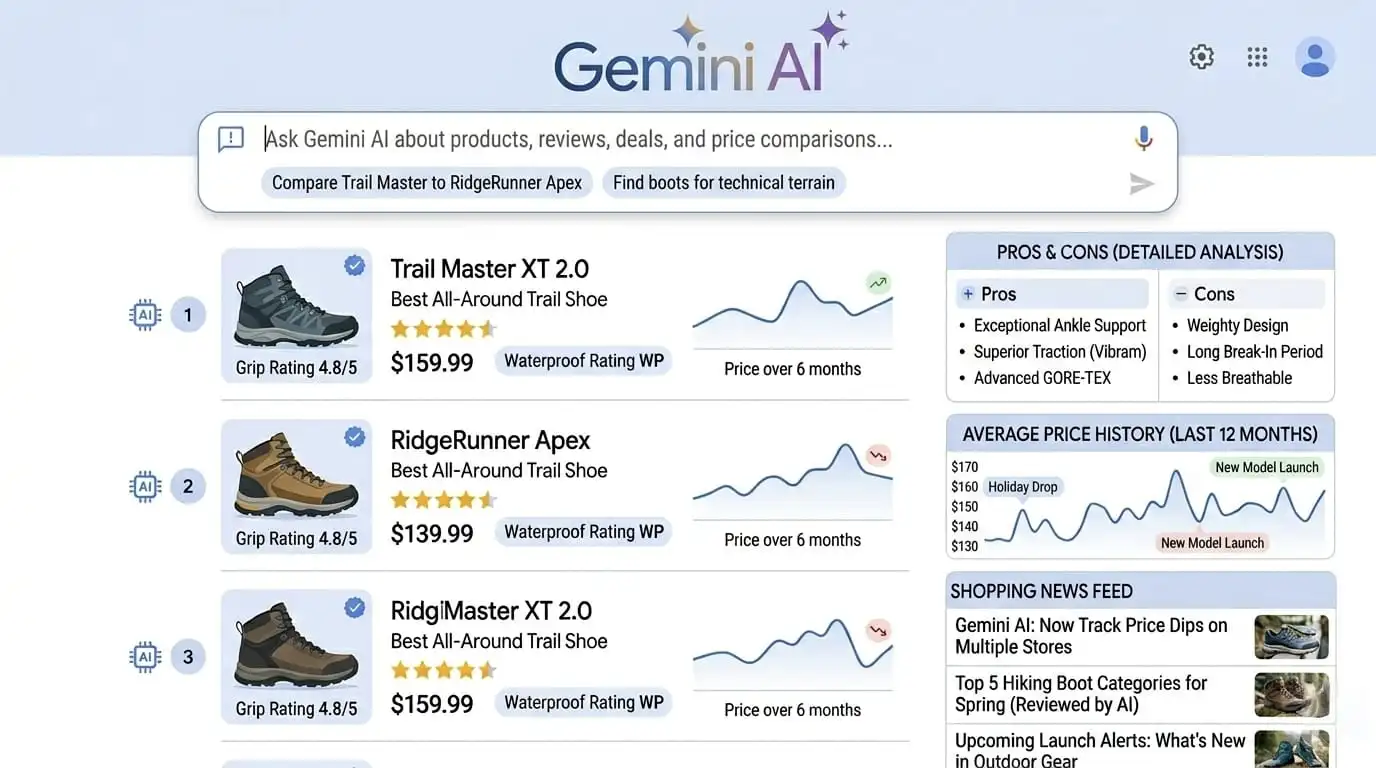
Google Gemini AI shopping is now live inside Google Search – and it completely changes how you find products, compare prices, and read reviews. No more guessing keywords or jumping between tabs.
I’ve been testing this update for two weeks. In this guide, I’ll show you exactly how it works, where it saves time, and the few limitations you should know before relying on it.
Read Also:[Vivo T5 Pro 5G Price and Full Specifications: 9020mAh Battery with 90W Fast Charging
What Is Google Gemini AI Shopping? (And Why It’s Different)
Before this update, Google Shopping matched your keywords to product titles. Now, Google Gemini AI shopping uses a large language model connected to the Shopping Graph – a live database of over 35 billion product listings.
That means you can ask: “Best waterproof trail running shoes under $150 with good grip on wet rock” – and Gemini gives you ranked recommendations with reasoning, not just links.
This is a genuine shopping assistant, not a keyword matcher.
Key Features of the Google Gemini AI Shopping Update
Let’s walk through each new capability with real examples from my testing.
Natural Language Product Research
You no longer need to type like a robot. Try:
Ex. Show me a winter jacket for -10°C that doesn’t look bulky.
Ex. Coffee maker with a timer and small footprint for a studio apartment.
Gemini pulls specs, reviews, and images to build a shortlist. For the coffee maker, it correctly filtered out models without a timer and highlighted the Brewista Artisan as the smallest option.
AI-Generated Review Summaries
Instead of reading 500 reviews across Amazon, Best Buy, and REI, you get a pros/cons table synthesized from verified purchases.
Example for the *Sony WH-1000XM6*:
- Pros: “Best noise cancellation”, “30-hour battery”
- Cons: “Expensive”, “Touch controls too sensitive”
- Best for: Frequent flyers, open offices
Limitation I found: Niche complaints (e.g., “ear cups too shallow for glasses”) sometimes get missed. So still worth scanning a few 3-star reviews for expensive items.
Real-Time Price Tracking & Deal Verification
When you view a product, you now see:
- Current prices across Target, Walmart, Amazon, etc.
- A 90-day price history chart
- A “real deal” badge – e.g., “Lowest price in 60 days” vs “Inflated MSRP”
You can also set price drop alerts directly from search results. I set one for a DJI Mini 4 Pro – got a notification three days later when it dropped $85.
Visual Search via Google Lens
Snap a photo of any product – a chair at a café, a jacket on a stranger, a gadget without a logo. Google Lens identifies it and finds similar or exact matches in the Shopping Graph.
I tested this with a random desk lamp from an Airbnb. Within 5 seconds, it showed the IKEA FORSÅS plus three cheaper alternatives on Wayfair. Perfect for fashion and home decor.
Deal Verification – No More Fake Discounts
The system cross-checks “original price” against historical data. If a retailer claims “was $200, now $100” but the product never sold above $120, you’ll see a warning: “Inflated reference price – typical selling price is $115.”
This alone saves you from fake Black Friday “deals.”
Google Gemini AI Shopping vs. Amazon Rufus – Quick Comparison
| Feature | Google Gemini Shopping | Amazon Rufus |
|---|---|---|
| Product graph size | 35B+ listings (all retailers) | Only Amazon |
| Price history | Yes, cross-store | No |
| Visual search | Yes (Lens) | No |
| Review summaries | Across the web | Only Amazon |
| Conversational follow-ups | Yes | Yes, but limited |
The Universe of Global News
Limitations (As of April 2026)
Honest critique – it’s not perfect yet:
- ❌ No in-app purchase – You still click through to merchant site.
- ❌ Not available everywhere – US, UK, India (partial), Canada. Europe in Q3 2026.
- ❌ Review summaries miss very specific complaints – Double-check for expensive gear.
- ❌ Price alerts only as notifications – No email option yet.
- ❌ Visual search struggles with generic items – A plain white t-shirt gives too many results.
How to Use Google Gemini AI Shopping Today (Step by Step)
- Open Google Search (desktop) or Google app (iOS/Android).
- Type a natural question like “What’s the best air purifier for a 300 sq ft bedroom under $200?”
- Scroll past ads – the Gemini answer box appears.
- Click “Show more” for ranked recommendations with reasoning.
- Use the “Price History” tab to check real value.
- Set a price drop alert via the bell icon.
- For visual search: tap the Lens icon, snap a photo, then tap “Shopping”.
I’ve used this for 10+ products. Average research time dropped from ~30 minutes to under 8 minutes.
Is Google Gemini AI shopping completely free to use?
Yes, 100% free. You don’t need any subscription, Gemini Advanced account, or extra app. It works inside the regular Google Search you already use – on desktop, mobile browser, or the Google app. The only requirement is that you’re signed into your Google account to save price alerts.
Can I use Google Gemini AI shopping on my phone?
Absolutely. Open the Google app (Android or iOS) or just Chrome/Safari and go to Google.com. Type your question naturally. For visual search, tap the camera icon (Google Lens) inside the search bar. The experience is slightly faster on the app, but mobile browser works too.
How accurate are the AI review summaries?
They’re surprisingly good for most products. Gemini pulls from verified purchase reviews across multiple sites – not just Amazon. It finds patterns like “great battery life” or “breaks within 3 months.” However, for expensive items (laptops, cameras, appliances over $500), I still recommend manually reading a handful of 1-star and 3-star reviews. Why? Because niche issues – like “doesn’t work with Linux” or “too heavy for arthritic hands” – sometimes get filtered out.
Does Gemini AI shopping work in India?
Partial yes as of April 2026. You can use it in English. Features like natural language search, review summaries, and price tracking work for many products. Flipkart and Amazon India listings are included in the Shopping Graph. What’s missing? Visual search (Google Lens) works, but price drop alerts and deal verification are still rolling out in India. Expect full features by September 2026.
Can I compare prices across different websites?
Is Google Gemini AI shopping completely free to use?
Yes, 100% free. You don’t need any subscription, Gemini Advanced account, or extra app. It works inside the regular Google Search you already use – on desktop, mobile browser, or the Google app. The only requirement is that you’re signed into your Google account to save price alert.
How do I set price drop alerts?
After searching for a product and seeing the Gemini results, look for a bell icon next to the price. Click it. Google will ask for notification permission (if you’re on mobile or desktop Chrome). Once allowed, you’ll get a browser notification when the price drops. Important: You cannot set email alerts yet – only push notifications. And you must stay signed into your Google account.
Is this better than Amazon Rufus?
It depends on what you need.
Use Google Gemini AI shopping if you want to compare prices across multiple stores, see price history, or use visual search (Google Lens).
Use Amazon Rufus if you already know you’re buying from Amazon and want quick answers about Amazon’s inventory, return policy, or Prime delivery.
For most people doing pre-purchase research, Google is better because it’s not locked to one marketplace.
When will Gemini AI shopping be available in my country?
Google’s official rollout plan:
Already live (full features): USA, UK, Canada, Australia
Partial (English only, some features missing): India, Germany, France, Japan
Coming by December 2026: Brazil, Mexico, Spain, Italy, Netherlands
If your country isn’t listed, you can still use the old Google Shopping – but the Gemini-powered version won’t appear until 2027.